Make video ads in Claude ChatGPT Claude Code Cursor Codex your agent with Staglight
Claude opens in a new tab with the name and the address filled in. Press Add, then Connect.
Address copied. Finish in ChatGPT with the steps below.
Command copied. Save your key as STAGLIGHT_API_KEY, then paste the command in your terminal.
Config copied. Paste it into ~/.cursor/mcp.json and restart Cursor.
Command copied. Save your key as STAGLIGHT_API_KEY, then paste the command in your terminal.
Address copied. Add it to your client as a remote MCP server.
MCP addresshttps://mobyvid.com/mcp
A video ad from one photo
Use Staglight: Make a 5 second vertical video with the lipstick in the photo I attach, on Seedance 2.0 Mini with sound. First a start frame of a woman at home: the cap is already off, she holds the lipstick low in a relaxed grip and her lips already wear its shade. Then one slow swipe along her lower lip, and her hand goes back to where it started. Keep every letter on the case exactly as it is. Tell me the price before you start.


- GPT Image 2.5
- Seedance 2.0 Mini
Your product in a real scene
Use Staglight: Edit the photo I attach with GPT Image 2.5, vertical 9:16: a phone selfie in a bright home kitchen with soft window light, a friendly woman holds the bag next to her face, and a golden retriever sits beside her looking up at it. Keep the bag, its colours and every word on it exactly as in my photo. Tell me the price before you start.


- GPT Image 2.5
A creator presents it, with captions
Use Staglight: Make a UGC ad from the bottle in the photo I attach. First a selfie-style photo of a young woman after a run in a park, holding the bottle up next to her face. Then an 8 second video on Veo 3.1 where she says one line about it and takes a sip. Then add word by word captions. Show me each step and its price before you make it.


- GPT Image 2.5
- Veo 3.1
- Captions
Recipes your agent can run
Ready-made ads, studios and presets. Pick one, ask your agent, approve each step.
-
Giant product video
The crowd walks up to your giant product while the camera tilts up to it. With sound.
Use Staglight to make a giant product video from the photo I attach: first a picture of my product standing in a busy city square, as tall as the buildings, then a 5 second clip of the crowd walking up to it. Tell me the price before you start.
-
Claymation ad
A talking clay object tells your product's story in four scenes. You approve the script and the storyboard before paying for clips.
Use Staglight to make a claymation ad for the product in the photo I attach. Show me the script and the storyboard before you make the clips, and tell me the price first.
-
Ranking Shorts
Five crazy levels, ranked #5 to #1, in one vertical Short
Use Staglight to make a Ranking Shorts video: the five craziest lava drops, ranked from mild to wild. Show me the levels before you make the clips, and tell me the price first.
-
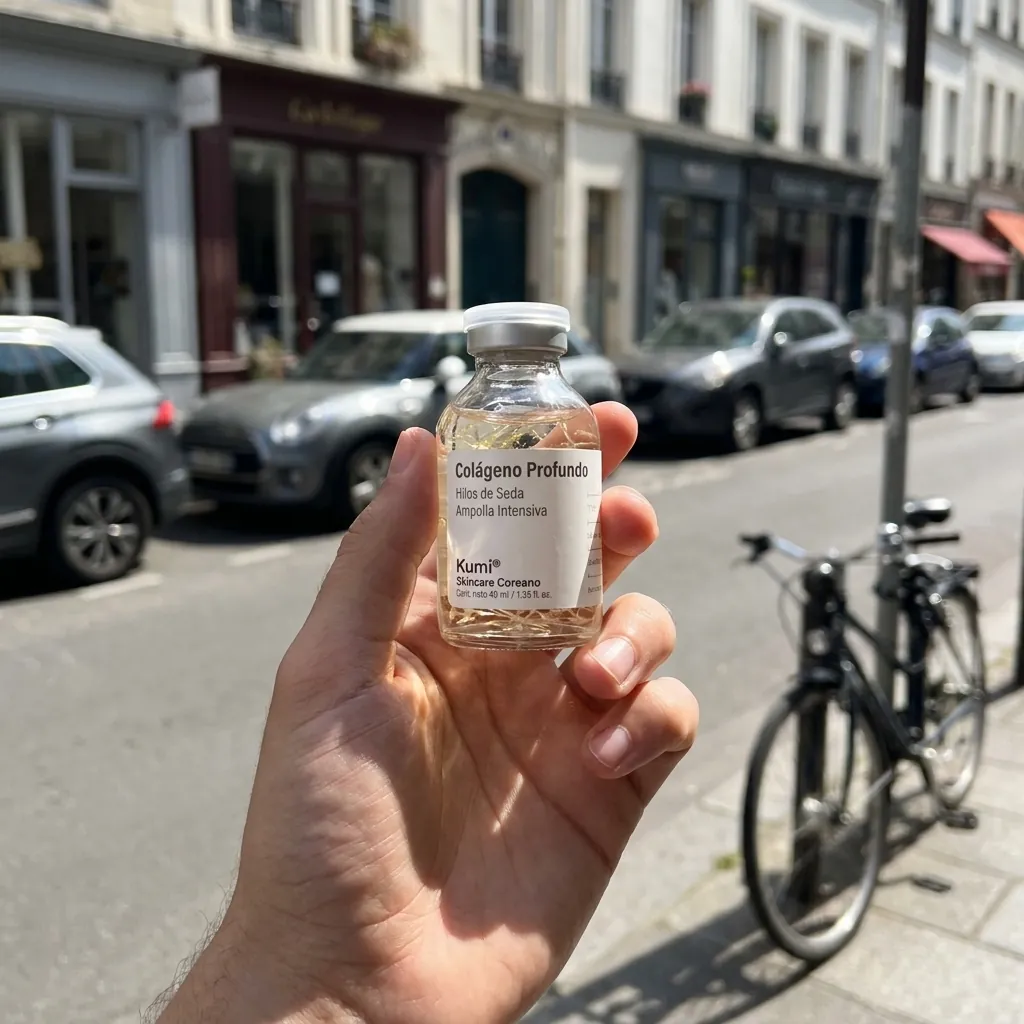
UGC Shots
Casual "holding the product" phone photos from one render. No text, pure UGC.
Use Staglight to run the UGC Shots studio on the product photo I attach: casual phone photos of a hand holding it in everyday places. Tell me the price before you start.
-
Creator-style UGC
An AI presenter shows your product on camera, with a script, voiceover and captions.
Use Staglight to make a creator-style UGC ad for the product in the photo I attach, with a voiceover and captions. Show me the script first and tell me the price.
-
Wiggle Clip
One static wide shot of the product being worn, then burn a different hook on it for every post
Use Staglight to run the Wiggle Clip studio on the product photo I attach: one static wide shot of it being worn, with a different hook burned on each version. Tell me the price first.
-
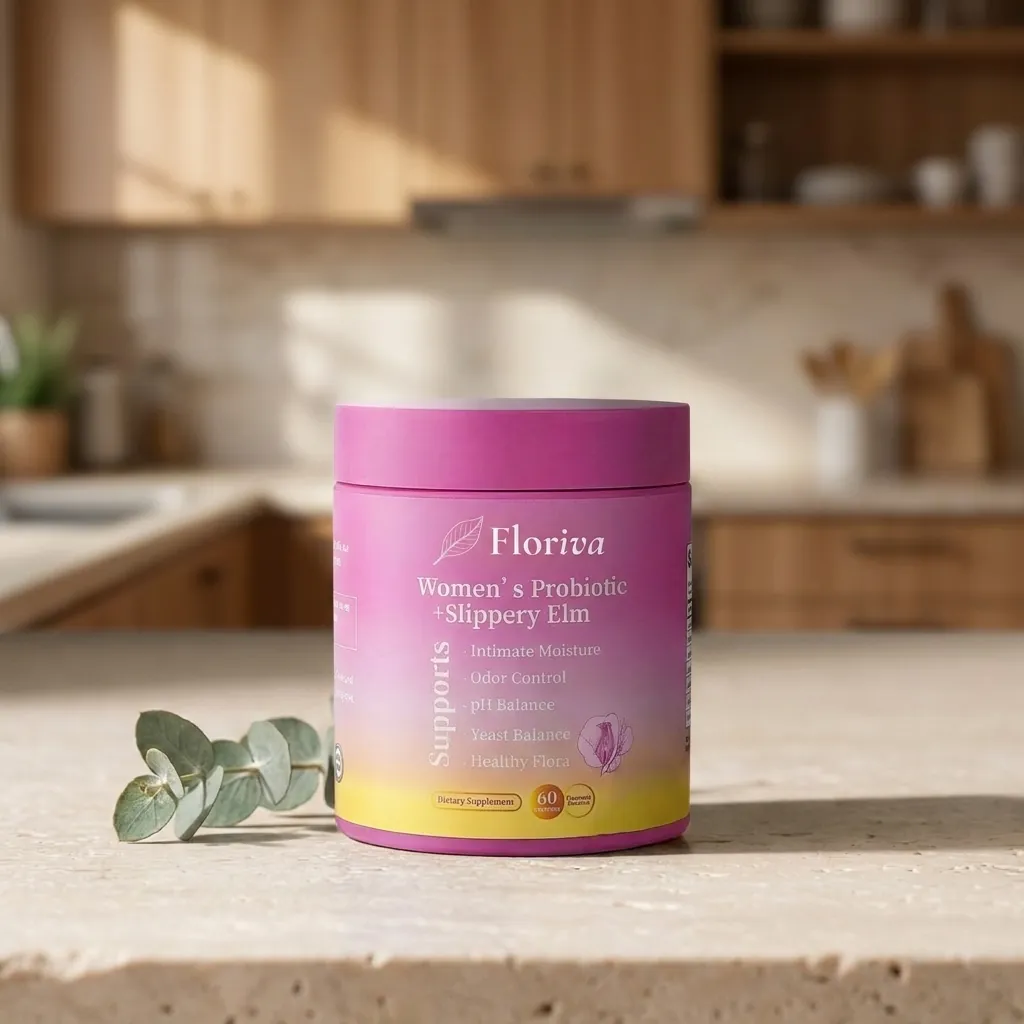
Recreate
Drop any photo you wish you had shot and get a brand-new original in the same style, optionally wearing your product.
Use Staglight to run the Recreate studio: make a brand-new original of the reference photo I attach, with my product from my second photo. Tell me the price first.
-
Product hero
Your product on a clean set with a slow camera push-in, a music bed and your text.
Use Staglight to make a product hero ad for the product in the photo I attach: a clean set, a slow push-in, a music bed and my text. Tell me the price first.
-
Script Runner
Paste your script and we turn it into scenes, keyframes, clips and an edited video.
Use Staglight to turn the script I paste into a video: scenes, keyframes, clips and an edit. Show me the storyboard before you make the clips, and tell me the price first.



No recipe matches. Try another word or category.
How to connect
Claude
- 01
Press Add Staglight to Claude, or in Claude open Customize > Connectors > Add custom connector with the name Staglight and the URL https://mobyvid.com/mcp.
- 02
Press Continue, keep Sign in now and press Add, then sign in with your Staglight account and allow it. On the Free plan you can add one custom connector; on Team and Enterprise an owner adds it first and you press Connect.
- 03
In a chat, press + > Connectors and switch Staglight on. Attach a product photo and ask: make me an ad for this product.
https://mobyvid.com/mcpEvery connected app shows up in the studio under Settings > Connections, with its spending cap and a Disconnect button.
ChatGPT
- 01
In ChatGPT on the web, open Settings > Plugins and press + > Add custom MCP server. It needs a Business, Enterprise or Edu workspace that allows it; on Pro it can only read.
- 02
Name it Staglight, paste the URL https://mobyvid.com/mcp, choose OAuth, tick I understand and want to continue, then Create as a plugin.
- 03
Sign in with your Staglight account and allow it.
- 04
In a new chat, type @, pick Staglight and ask for your ad.
https://mobyvid.com/mcpEvery connected app shows up in the studio under Settings > Connections, with its spending cap and a Disconnect button.
Claude Code
- 01
Create an API key in the studio and give it a daily cap.
- 02
Save it as the STAGLIGHT_API_KEY environment variable.
- 03
Add the MCP server to your agent with one of these commands.
export STAGLIGHT_API_KEY="sl_live_..."claude mcp add --transport http staglight https://mobyvid.com/mcp --header "Authorization: Bearer $STAGLIGHT_API_KEY" --scope userDon't paste your key into chats or repos. If it leaks, revoke it in the studio.
Cursor
- 01
Create an API key in the studio and give it a daily cap.
- 02
Save it as the STAGLIGHT_API_KEY environment variable.
- 03
Paste this into ~/.cursor/mcp.json and restart Cursor.
export STAGLIGHT_API_KEY="sl_live_..."{
"mcpServers": {
"staglight": {
"url": "https://mobyvid.com/mcp",
"headers": { "Authorization": "Bearer ${env:STAGLIGHT_API_KEY}" }
}
}
}Don't paste your key into chats or repos. If it leaks, revoke it in the studio.
Codex
- 01
Create an API key in the studio and give it a daily cap.
- 02
Save it as the STAGLIGHT_API_KEY environment variable.
- 03
Add the MCP server to your agent with one of these commands.
export STAGLIGHT_API_KEY="sl_live_..."codex mcp add staglight --url https://mobyvid.com/mcp --bearer-token-env-var STAGLIGHT_API_KEYDon't paste your key into chats or repos. If it leaks, revoke it in the studio.
Other
- 01
Add a remote MCP server (streamable HTTP) with the address https://mobyvid.com/mcp.
- 02
Sign in with your Staglight account when your client asks, or send an API key in the Authorization header as a Bearer token.
- 03
Attach a product photo and ask your agent for an ad.
https://mobyvid.com/mcpAuthorization: Bearer $STAGLIGHT_API_KEYDon't paste your key into chats or repos. If it leaks, revoke it in the studio.
One ad, step by step
What your agent can do
- Check your balance and the price of each take
- Upload product photos from a URL
- Generate images, video, voice and music
- Run a format and approve each step
- Add captions, merge clips and analyze an ad
- You
Make a draft product hero ad with my serum and show me each step.
-
estimate_cost format="product_hero" tier="draft"Price shown. Nothing charged yet. -
create_ad format="product_hero" tier="draft" product_id="prd_..."script -
approve_ad_step run_id="run_..." step="plan"keyframes -
approve_ad_step run_id="run_..." step="keyframes"clips -
approve_ad_step run_id="run_..." step="clips"music, edit -
get_ad run_id="run_..." wait_seconds=60Ready: product_hero.mp4
-
Free estimates
Before each take, the agent checks how many credits it costs. Checking is free.
-
Pay per take
No API plan, no surcharge. Each take deducts its price from your balance.
-
Daily cap per key
Give each key a daily credit limit. When the agent hits it, it stops.
-
Draft first
The agent can make a cheap draft and ask for your approval before the final render.
Questions
Is there an API and an MCP connector?
Yes. The REST API and the MCP server use the same balance as the studio. Each key can have a daily credit cap, and estimates are free.
What happens if a take fails?
The credits for that take go back to your balance automatically. Your history shows the charge and the refund.
Do I need a subscription?
No. You buy a credit pack when you need one. No monthly fee, no commitment, nothing renews on its own.
Do credits expire?
Credits you buy never expire. Use them whenever you want.