Ad format
Offer-first static
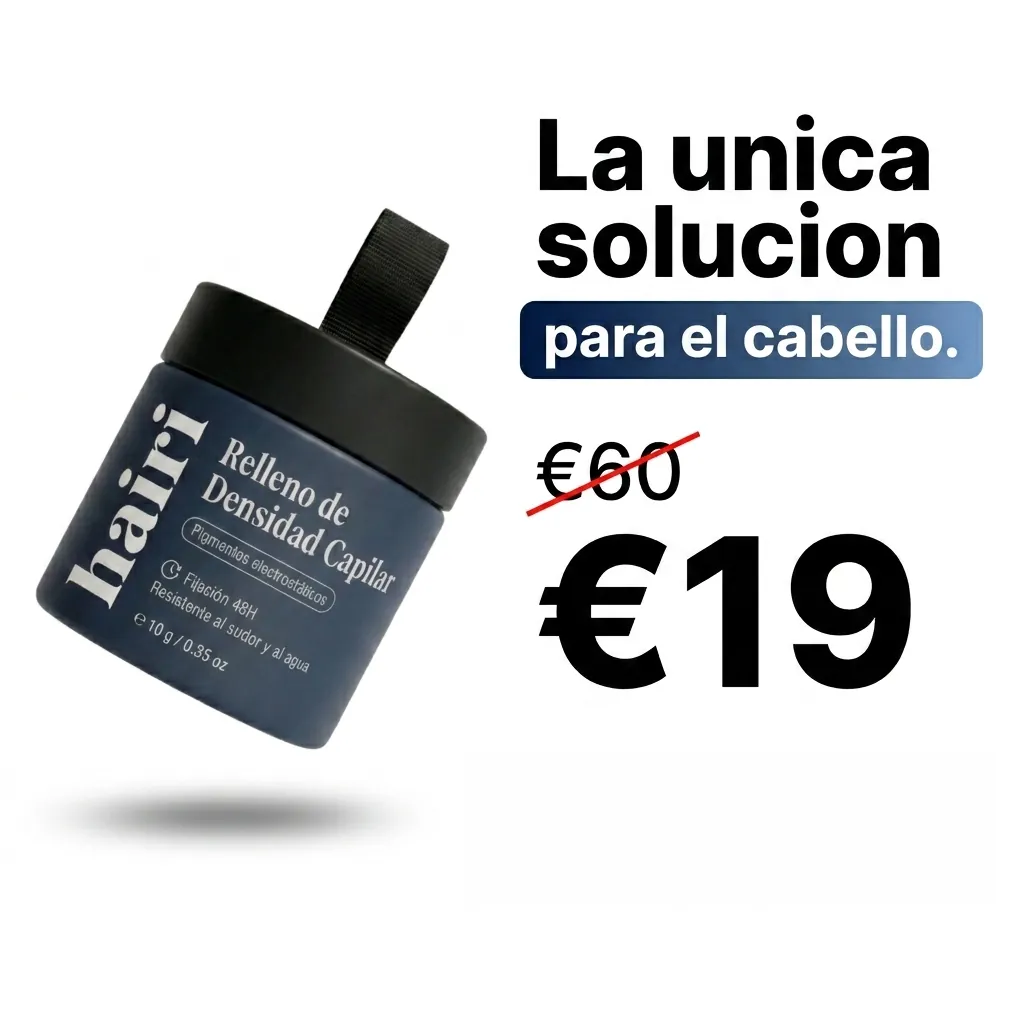
A still of your product in a scene. The app adds the price or discount as crisp text.
- InProduct photo
- Do2 review steps
- OutImage · 1:1 · 4:5 · 9:16
Who it is for
Promotions, sales and retargeting in Feed.
Why it works
A still image with the offer on it is the quickest ad to make and to test: one picture, one line, ready for the feed. Make several and see which one people click.
The steps in Staglight
Each step and what it does. At a review step nothing more is spent until you approve it.
-
Add your product
Upload one product photo, or pick a product you saved before.
-
Script and plan You review
The script, scenes and shots are written for your product. You read them and approve or change them.
-
Keyframes You review
A still picture for each scene, so you see the look before any video is made.
-
Text on the image
Your offer and words are set on the picture.
-
Download
The finished file is in your library to download and post.
Tips
- Say the offer in a few words.
- Use 1:1 or 4:5 for the feed and 9:16 for Stories.
- Make a few versions and test them against each other.
Ready when you are
Open it in Staglight and follow the same steps.
Try next
-
Ad Studio

Product Image Studio
One product photo, a full store carousel
- One product photo
- Pick image types
- A store carousel
-
Ad Studio
Static Ads
Facebook feed ads from one photo
- A product photo or an ad
- Pick a format
- Feed ad images
-
Ad Studio
Instagram Page Setup
Build your feed, or clone a competitor's
- Your product or posts you like
- Recreate or pick a post type
- Posts for your feed